
FreightClaims.com
Turning a manual, inbox-and-spreadsheet claims process into an automation system that adjusters trust enough to stop double-checking.
Background & Problem
FreightClaim.com is a B2B SaaS platform that helps logistics and freight companies file, track, and resolve cargo claims. Claims adjusters regularly communicate with carriers through templated emails — but the process of scheduling follow-ups, sending acknowledgments, and tracking task completion was entirely manual.
Adjusters were spending significant time each week drafting the same types of emails, setting up individual reminders, and checking whether carriers had responded. This created both operational inefficiency and a risk of missed follow-ups — directly impacting claim resolution timelines and relationships with carriers.
Exploration
FreightClaim.com is a B2B SaaS platform that helps logistics and freight companies file, track, and resolve cargo claims. Claims adjusters regularly communicate with carriers through templated emails — but the process of scheduling follow-ups, sending acknowledgments, and tracking task completion was entirely manual.
Adjusters were spending significant time each week drafting the same types of emails, setting up individual reminders, and checking whether carriers had responded. This created both operational inefficiency and a risk of missed follow-ups — directly impacting claim resolution timelines and relationships with carriers.
Design Experience
I owned the full design process — from understanding requirements in the JIRA spec and stakeholder discussions, to producing wireframes, and interactive Figma prototypes that developers could implement directly. The feature touched six distinct areas of the product, requiring me to maintain consistency while solving unique UX challenges in each context.
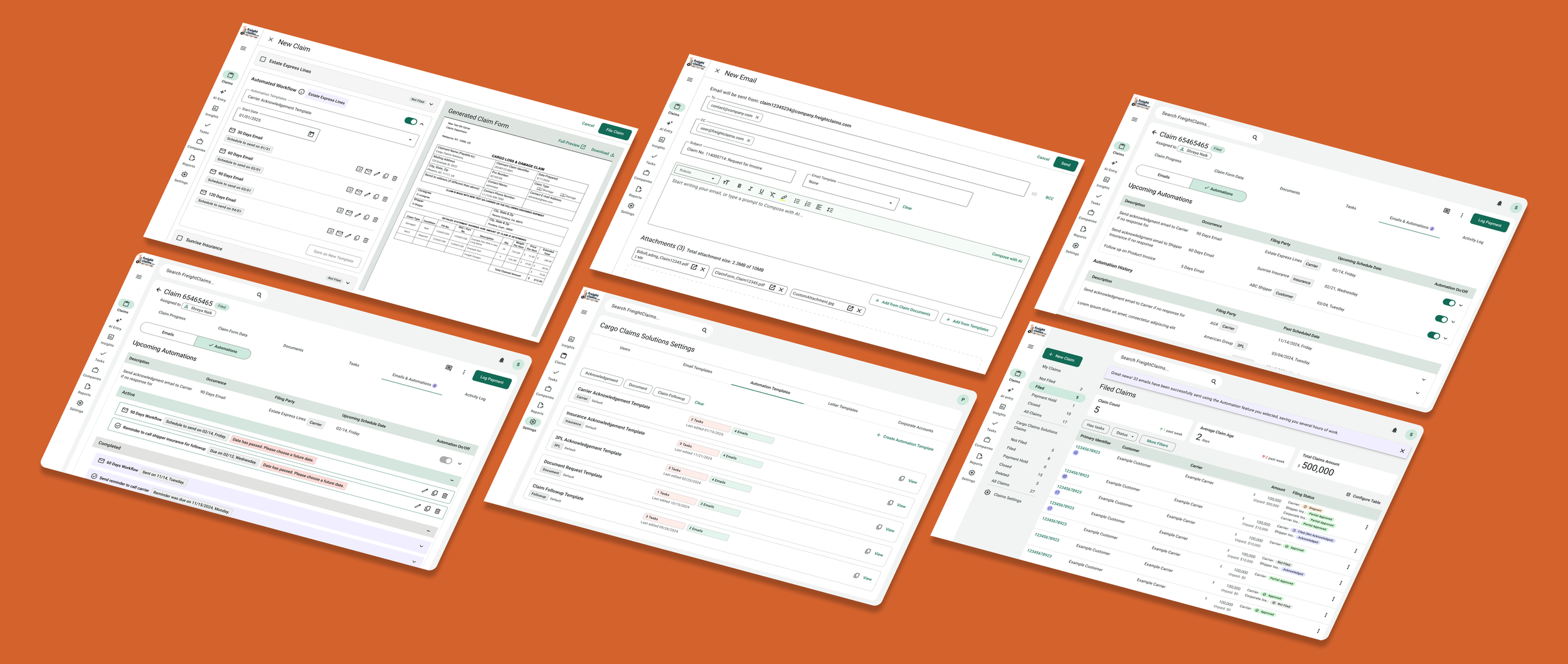
Solved the nuanced UX Challenges
🏁 Auto-save with in-context disclaimer
All occurrence edits auto-save continuously. A persistent disclaimer in the edit panel surfaces this clearly, preventing anxiety about losing work.
🥳 Template memory per filing party
The system remembers a user’s template choice for a carrier and pre‑selects it next time they file, reducing repeat decisions while keeping control.
📝 Auto-ordering after duplicate edits
When duplicating an occurrence, changing the day count automatically reorders the list to keep items in logical day order without manual dragging..
🌴 Skip weekends calendar control
A global skip‑weekends toggle disables weekend dates across all automation calendars, aligning with carriers’ weekday‑only processing.
📆 Smart re-activation with date validation
If automation is re-enabled after its original date, a red warning prompts the user to choose a future date; re‑enabling before the date shows no warning.
📋 Overdue task visibility
Overdue task occurrences are highlighted in red with an Overdue label, ensuring nothing slips through and giving adjusters a clear action queue.